Ghibli Photo Girl: How to Turn Her Picture into Studio-Style Art
Want a Ghibli photo of a girl? Learn how to pick the right photo and turn it into a soft, hand-painted anime-style portrait in under a minute.
 Ghibli Style Team阅读约 6 分钟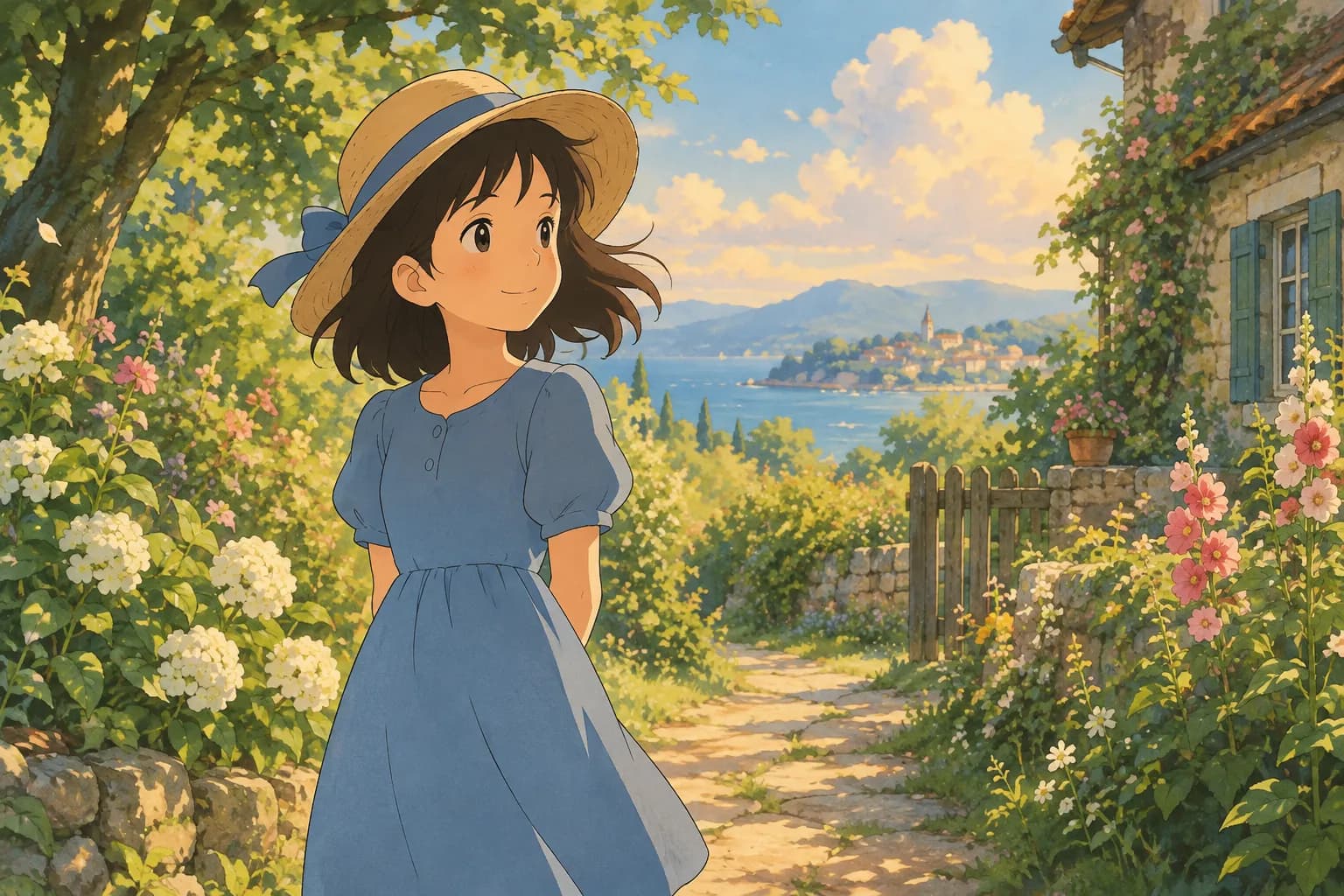
本文目录
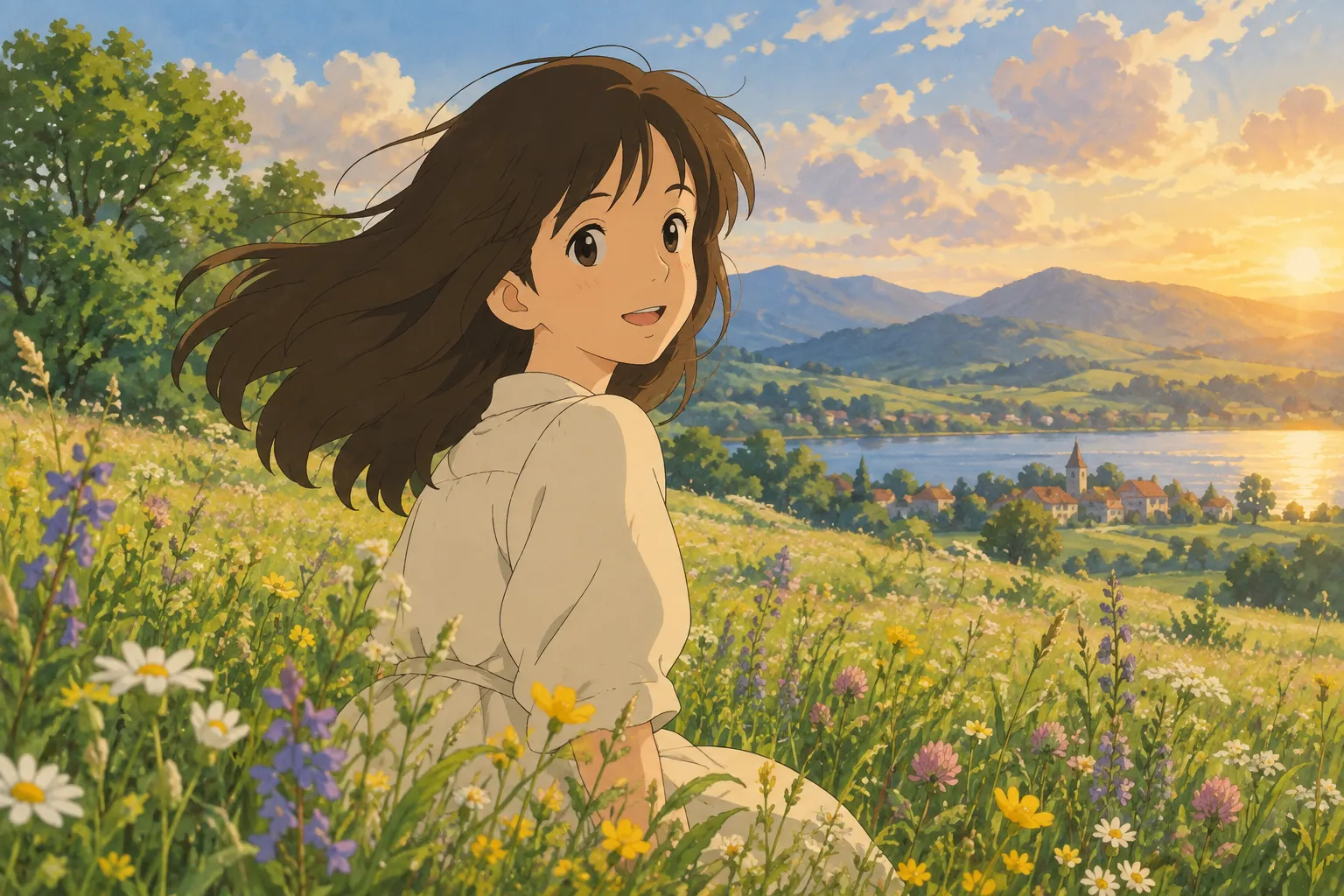
If you've been searching for "ghibli photo girl," "ghibli picture of a girl," or "ghibli image in girl," you're probably picturing something specific: a photo of a daughter, friend, or yourself, transformed into that soft, storybook, hand-painted anime look with warm light and gentle colors. That style is one of the most requested looks in AI photo art, and the good news is you don't need any design skill to get it. You just need a decent photo and the right tool.
This guide walks through exactly how to get a beautiful Ghibli-inspired portrait of a girl, what kind of source photo works best, and a few style variations worth trying if you want something different from the classic look.
What "Ghibli style" actually means here
Quick note before we go further: Ghibli Style (ghiblistyle.co) is an independent AI tool and is not affiliated with Studio Ghibli. When we say "Ghibli-inspired," we mean the general aesthetic that fans associate with that beloved hand-painted anime film look — soft brushwork, warm natural light, expressive eyes, and a slightly dreamy, storybook atmosphere. No characters, logos, or copyrighted material are used or copied; it's simply a painting style applied to your own photo.
Turning a photo of a girl into Ghibli-style art
The process is simple no matter whether you're transforming a photo of your daughter, a friend, or yourself:
- Choose a clear, well-lit photo. A face that's visible, facing mostly forward or at a slight angle, works best. Avoid heavy shadows across the face or extreme close-ups that cut off the hair or chin.
- Upload it to the generator. On the home page, the default style is the signature soft, hand-painted Ghibli-inspired look — exactly what most people mean when they search for a "ghibli photo of girl" or "ghibli photo with girl."
- Pick the style and generate. The result is ready in about 20-30 seconds.
- Download and save. Standard downloads are free, and on phones you can save the image straight to your camera roll. If you want a higher-resolution HD version, that uses a credit.
What kind of photo works best
The quality of the source photo makes a bigger difference than most people expect. A few tips:
- Good lighting beats a good camera. Natural daylight, especially soft window light or an overcast day outdoors, gives the AI clean detail to work with. Avoid dark rooms or strong backlighting that hides the face.
- Simple backgrounds help. A plain wall, garden, or blurred background lets the style focus on the girl rather than getting confused by clutter.
- Show the face clearly. Sunglasses, hats that shadow the eyes, or hair fully covering the face can make results less accurate. A relaxed, natural expression usually turns out best.
- Portrait or half-body shots work great. Full-body photos work too, but a head-and-shoulders or waist-up photo tends to preserve facial detail best in the final art.
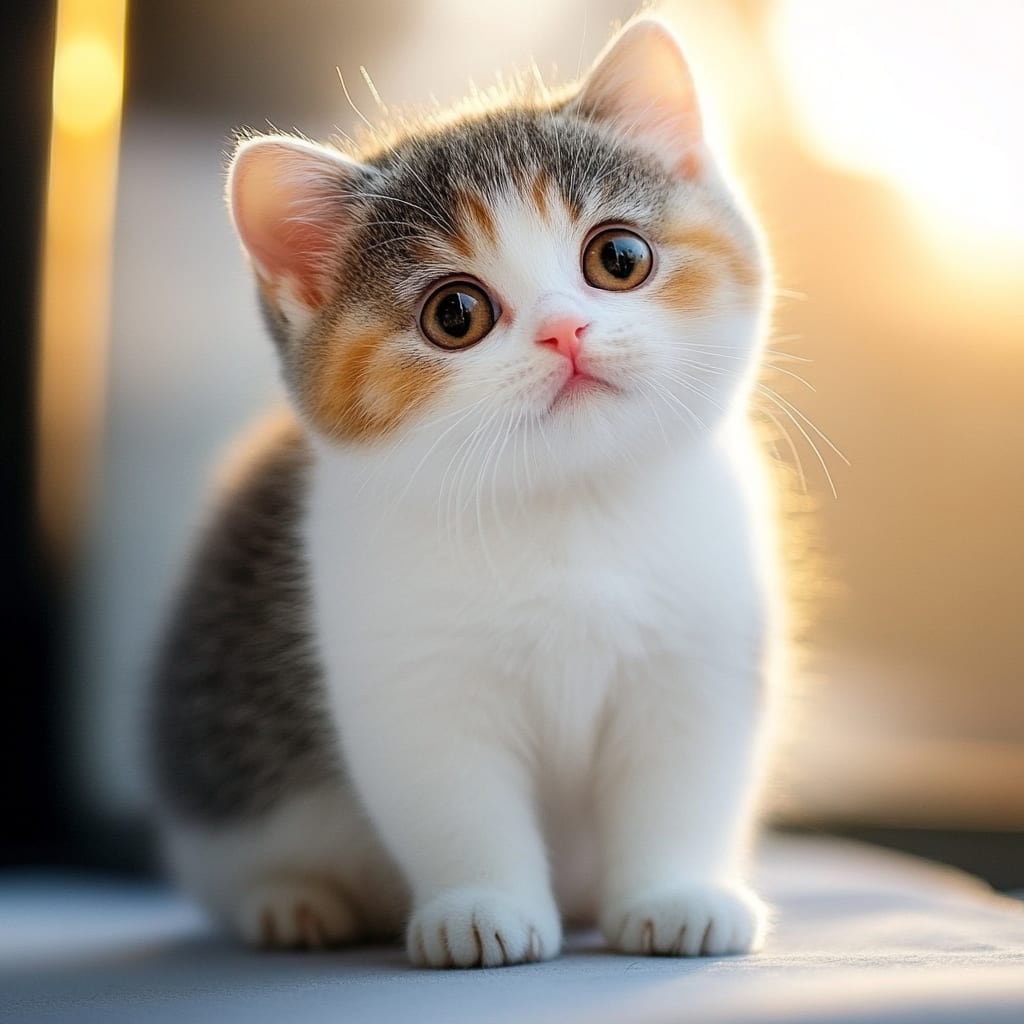
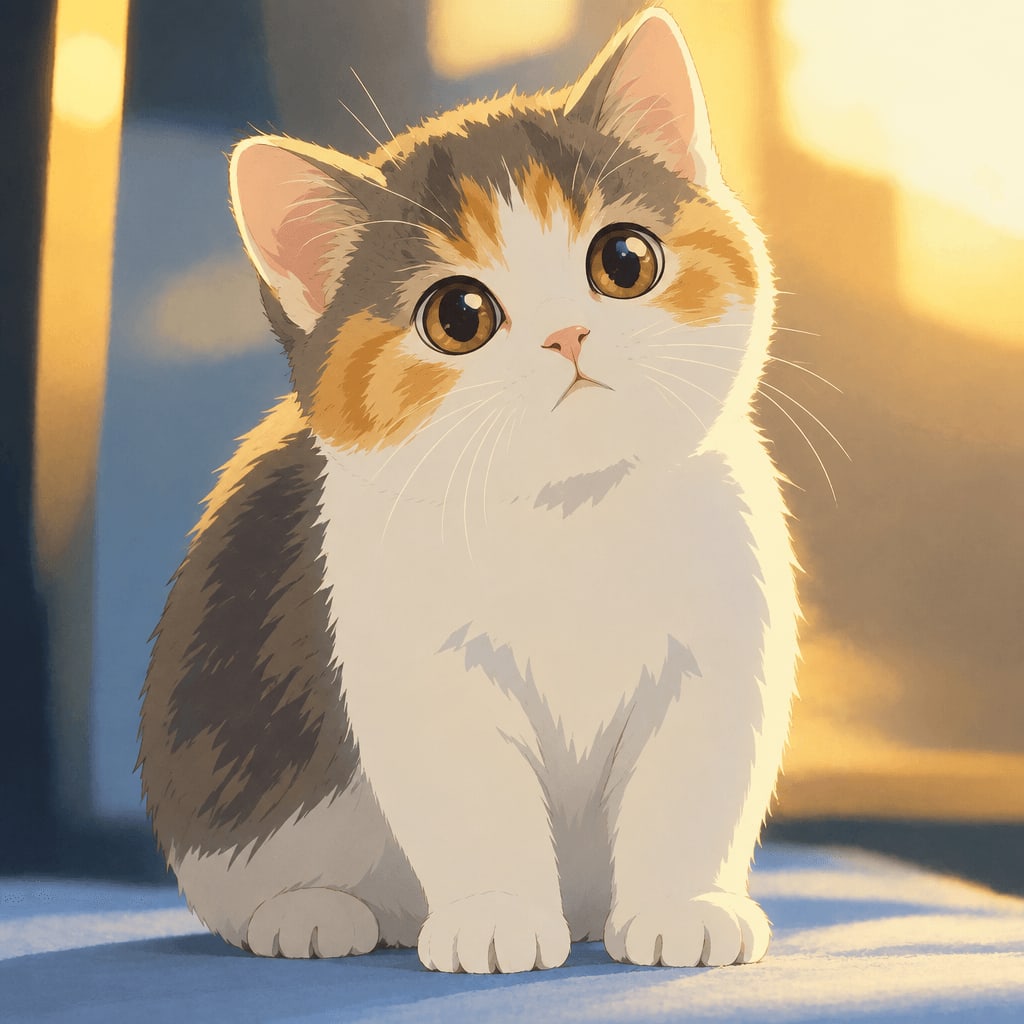
- Pets count too. If you're doing this for a family photo that includes a dog or cat, the same style works beautifully on them.
Real example: portrait to painted style
Here's what the transformation looks like on a real portrait — same person, same pose, completely different feel:
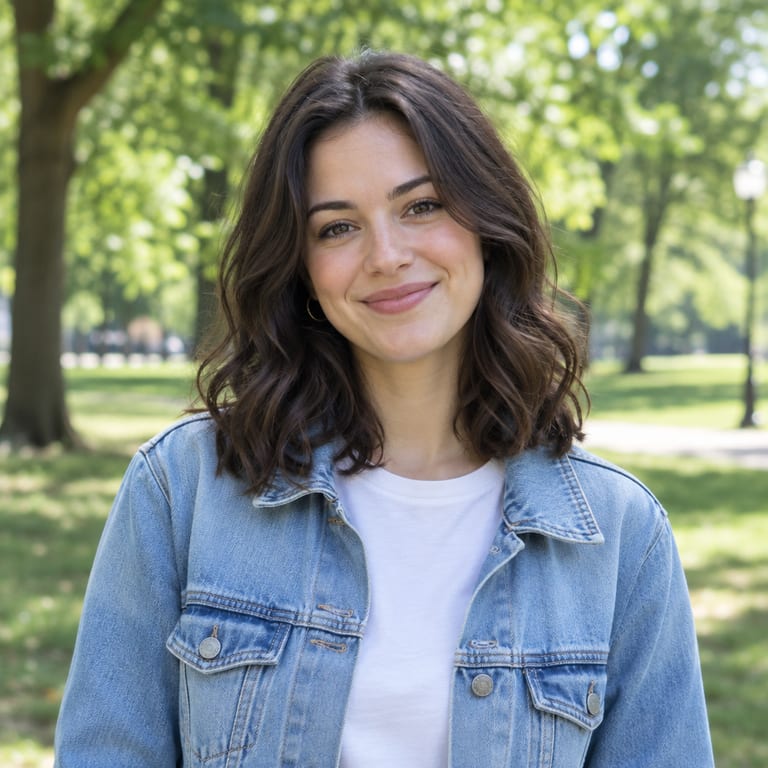
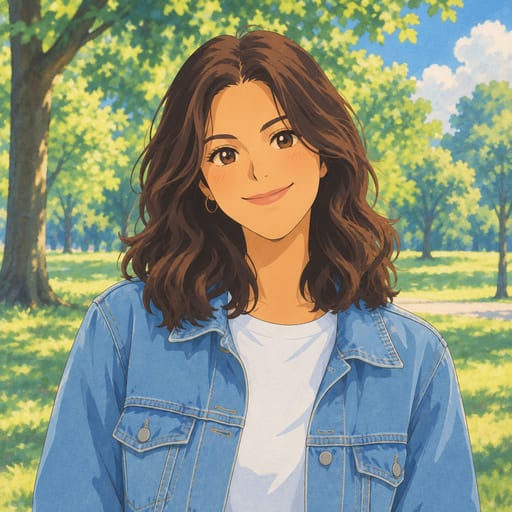
That warm, painterly quality — softer edges, gentle color grading, a touch of magic in the lighting — is what people are picturing when they type "ghibli pic in girl" or "ghibli photo in girl" into a search bar.
If you want a different look
The classic hand-painted Ghibli-inspired look is the most popular request, but it's not the only option. The site includes 38 styles across 5 categories (cartoon & anime, art & painting, sketch, digital, and 3D & toys), so if you want to try a few variations for the same photo, here are some popular alternatives:
- Chibi Maker — turns the photo into a cute, big-head chibi illustration, great for a playful, sticker-like version.
- Watercolor Portrait — a softer, more traditional painted look if you want something closer to fine art than anime.
- Photo to Anime — a crisper, modern anime look with cel shading, different from the Ghibli-inspired softness but great for a bold poster-style image.
- 3D Figurine — turns the girl into a realistic collectible figure on a display base, a fun gift idea.
- AI Action Figure Generator — boxes her up like a toy with accessories, a favorite for playful gifts.
You can browse the full styles overview to compare all the options before picking one.
Tips for getting the best result
- Try a couple of photos. If the first result doesn't feel quite right, a different angle or lighting condition often makes a noticeable difference.
- Keep expectations realistic on group photos. Solo or two-person photos tend to render more clearly than large groups, since fine facial detail gets harder to preserve as more faces are packed into a frame.
- Failed generations don't cost you anything. If a result doesn't process correctly, no credit is used, so there's no risk in trying again with a slightly different photo.
- Save your favorites. Generated images are kept in your private "My Works" page for 30 days on a free account, 90 days after buying credits, and a full year for subscribers.
Pricing and credits, in plain terms
New accounts get 1 free image to try before paying anything. After that, credits are simple and one-time or subscription-based, whichever fits how often you plan to use it — see the full breakdown on the pricing page. HD downloads use credits; standard downloads are always free.
FAQ
Is this connected to Studio Ghibli? No. Ghibli Style is an independent tool inspired by the general look of hand-painted anime films. It has no affiliation with Studio Ghibli, and no official characters or logos are used.
What's the best photo to use for a girl's portrait? A clear, well-lit, front-facing or slightly angled photo with a simple background and a visible face gives the most accurate and detailed result.
How long does it take to get the image? Generation typically takes about 20-30 seconds after you upload the photo and choose a style.
Can I turn a photo of my daughter or a friend into this style too, not just myself? Yes, any photo of a person (or a pet) works the same way. Just make sure you have the right to use the photo you upload.
Whether you're after a dreamy, storybook portrait or want to compare a few different looks side by side, the fastest way to see it for yourself is to upload a photo on the home page and try the default hand-painted style — it only takes about half a minute to find out if it's the look you were picturing.
用你自己的照片试试吉卜力风格生成器。
免费试试